

Account admin
- View✔
- Create✔
- Update✔
- Delete✔
- Manage users✔
Vauzy helps your organisation store, manage, and use sensitive data safely. Passwordless login, timely shared access to 2FA codes, health checks, audit logging, and precise access control, built for teams that take security seriously.
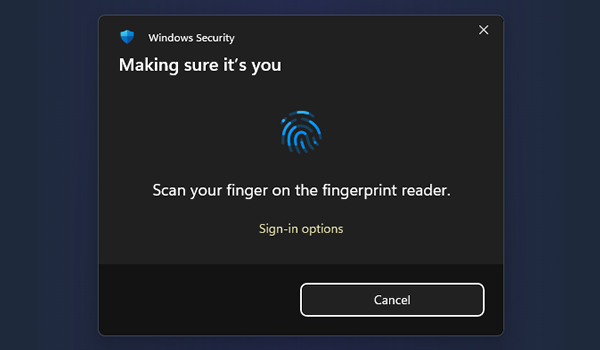
Modern passkeys with on-device biometrics. No master passwords to remember, share, or reset.
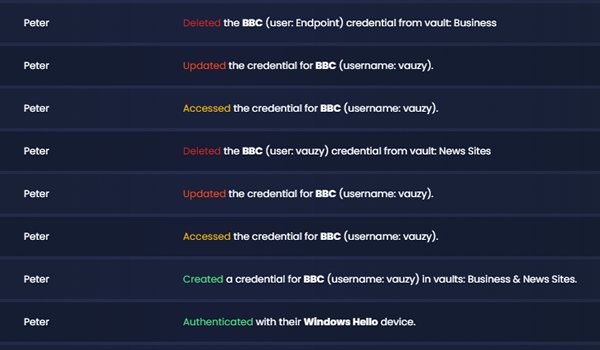
Track logins and credential access end-to-end, with IP-level detail and clear event history.
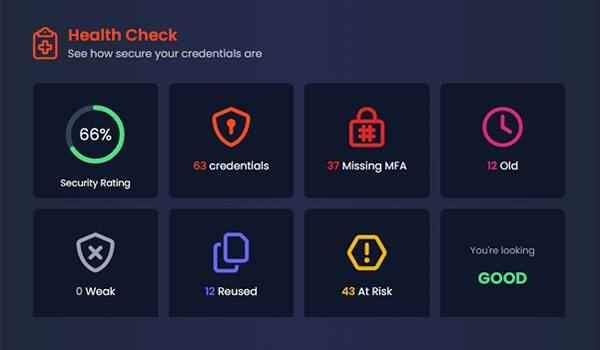
Spot weak, reused, or stale passwords and missing MFA. Get clear next steps to fix risks fast.
Set up once, stay secure every day. Clean onboarding, precise controls, clear reporting.
Onboarding
Everyday use
Reporting
Vauzy surfaces weak, reused, old passwords, missing MFA, and access anomalies. Each issue comes with clear guidance and tools to fix it.
Assign roles per vault so people get the access they need.
Manage subscription and payment methods only
| Role | View | Create | Update | Delete | Manage users |
|---|---|---|---|---|---|
| Account admin | ✔ | ✔ | ✔ | ✔ | ✔ |
| Vault admin | ✔ | ✔ | ✔ | ✔ | ✔ (per vault) |
| Vault write | ✔ | ✔ | ✔ | ✔ | — |
| Vault read | ✔ | — | — | — | — |
| Billing admin | Manage subscription and payment methods only | ||||
Tip: Keep most users on “Vault read” or “Vault write”, and reserve admin roles for a few trusted owners.
One authoritative record can live in multiple team vaults. Update once, and every vault stays in sync, meaning no duplicates, no drift, clean audit history.
All communication is encrypted end to end, ensuring your data is safe and secure and your business stays compliant.
We utilise industry-standard encryption protocols to ensure your data is safe and secure at rest.
We use the latest biometric security protocols to ensure access is frictionless and secure.
Data is completely encrypted in transit, ensuring no one can see your credentials even if they have access to your network.
Our infrastructure is hosted on AWS, ensuring industry standard compliance, the highest level of security and reliability.
We keep complete audit logs of all activity on your account, providing you with complete transparency and compliance.
Control user access to your vaults, ensuring only the right people have access to the correct credentials.
Complete insights into the health of your credentials, providing you with actionable advice to improve your security.
Vauzy makes enterprise-grade protection effortless — passwordless logins, guided health checks, and full audit visibility out of the box.
No. Vauzy uses modern passkeys (WebAuthn) for login with on-device biometrics. No passwords to remember or leak.
Yes. Assign “read”, “write”, “vault admin”, or “account admin” roles per vault. Billing admin stays separate.
They flag risks like weak or reused passwords and missing MFA, then guide your team through quick fixes and track progress.
Yes. Add multiple passkeys per user, including roaming keys via iCloud/Google. We identify multi-device keys in settings.
Passwordless login, health insights, audit logs, and precise access control, all in one place